

Quick Summary
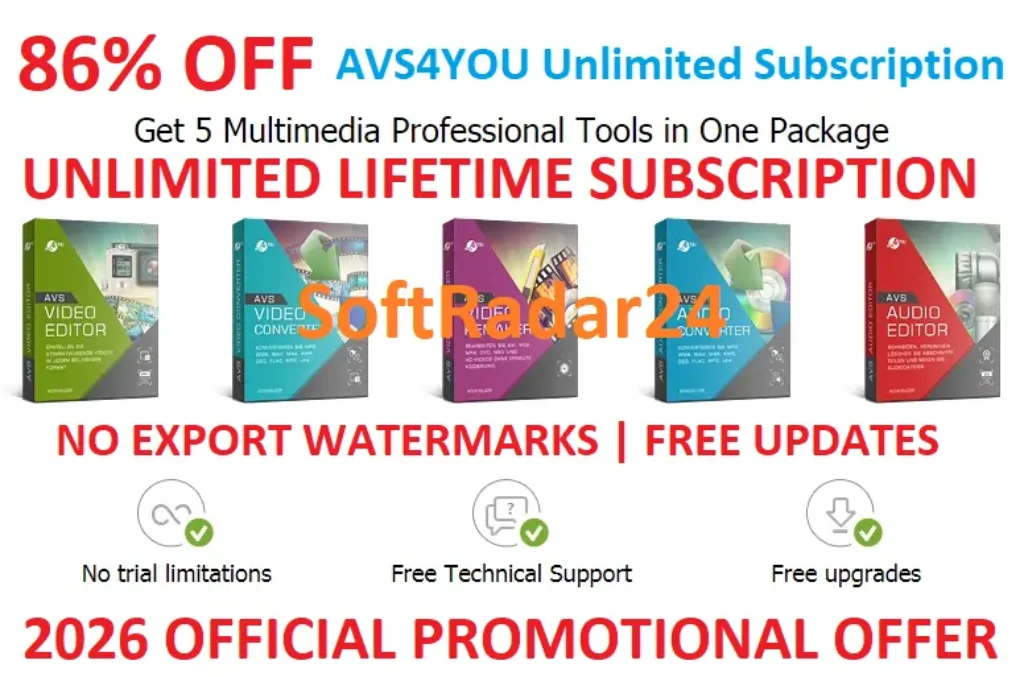
AVS4YOU Unlimited Subscription is a Windows-only multimedia license that unlocks five core AVS4YOU applications: AVS Video Editor, AVS Video Converter, AVS Video ReMaker, AVS Audio Converter and AVS Audio Editor. Together they cover timeline video editing, 150+ format conversion, no-reconversion cutting, screen/camera capture, DVD/Blu-ray authoring, audio conversion, recording, noise reduction and batch processing. The current AVS4YOU Unlimited Subscription is a one-time license for one computer with no time limit on that licensed PC and access to updates during the unlimited license period.
- Best for
- Windows video editing · format conversion · no-reencode cutting · audio editing and batch work
- Platforms
- Windows only
- Current campaign
- Unlimited Subscription · One Year Subscription
- Key limitation
- One license is bound to one computer and is not transferable to a new PC
AVS4YOU Unlimited Subscription Pricing, Discount Code & License Options
The current 72% AVS4YOU Unlimited Subscription coupon discount is applied automatically to the Unlimited license below. No manual coupon-code entry is required. The One Year option is currently displayed at 67% off its US$149.00 reference price.
AVS4YOU is Windows-only, so the operating-system selector contains Windows only. Choose Unlimited for one-time access without yearly renewal, or One Year for 365 days of access. Unlimited is selected first because the current SoftRadar24 price is US$79.00, which is US$30.00 high than the US$49.00 One Year option.
Current AVS4YOU Unlimited Subscription License Prices
The purchase selector currently includes the following approved SoftRadar24 license options:
- AVS4YOU Unlimited Subscription · Windows / 1 PC · US$79.00
- AVS4YOU One Year Subscription · Windows / 1 PC · US$49.00
AVS4YOU Unlimited Subscription
Windows · 1 PC · unlimited license
Included with this license- Unlimited use of five core AVS4YOU multimedia programs on 1 Windows PC
- AVS Video Editor, AVS Video Converter and AVS Video ReMaker
- AVS Audio Converter and AVS Audio Editor
- Updates and new AVS4YOU program versions during the unlimited license period
US$79.00one-time
72% discount automatically applied
Buy NowWindows · Unlimited Subscription · 1 PC
Selected first because the current Unlimited price is US$9.50 lower than the One Year price while removing the yearly time limit on the licensed computer.
AVS4YOU’s public Buy Now page can display a different promotional Unlimited price from the SoftRadar24 partner campaign shown here. Confirm the license, one-PC restriction, applicable tax and final checkout total before payment.
Can This Software Do What I Need?
Global multimedia-software searches repeatedly center on practical jobs rather than a single product label: editing without a subscription, exporting without a watermark, converting large 4K files, cutting without re-encoding, cleaning noisy audio, extracting sound from video and digitizing older media. AVS4YOU Unlimited Subscription covers many of those Windows workflows, but its one-computer license and Windows-only scope can change the buying decision.
I want Windows video-editing software without a yearly subscription
One-time multimedia license
SupportedAVS4YOU Unlimited Subscription has no time limit on the licensed PC and AVS4YOU describes it as a one-time payment with no yearly renewals. The important qualification is that “Unlimited” applies to that licensed computer; it does not make the key portable to a replacement PC.
I only need to cut unwanted scenes without re-encoding the whole video
Fast lossless-style cutting
SupportedAVS Video ReMaker is specifically documented for cutting, deleting and rearranging scenes without reconversion and for saving quickly while keeping original quality. Its no-reconversion workflow is best suited to compatible source files and merges files when their parameters are sufficiently similar.
I need to convert large 4K, HEVC, AV1 or VP9 video files
Modern format conversion
ConditionalAVS Video Converter supports 150+ formats and current documentation covers 4K UHD/DCI 4K plus opening modern H.265/HEVC, AV1 and VP9 files. Hardware decoding is available for several modern codecs on supported Intel or NVIDIA hardware. Check the exact output codec/profile you need rather than assuming every readable codec can be encoded to every possible target.
I need one package for video editing, conversion and audio cleanup
Multi-tool Windows workflow
SupportedAVS4YOU Unlimited Subscription licenses five core programs instead of forcing every task into one interface. AVS Video Editor handles timeline work, AVS Video Converter handles conversion, AVS Video ReMaker handles fast cutting, AVS Audio Converter handles batch audio conversion and AVS Audio Editor handles recording, mixing and noise reduction.
I need to reduce hiss, crackle or other steady background noise in a recording
Audio restoration
SupportedAVS Audio Editor includes noise-removal tools for sounds such as hissing, crackling and roaring, plus equalization and more than 20 effects/filters. Noise reduction can improve a recording, but it should not be treated as a promise to reconstruct speech that is already masked or missing.
I want to extract audio from video and batch-convert a large music library
Audio extraction and automation
SupportedAVS Audio Converter can extract audio from video sources such as DVD, MPEG, MP4, AVI, MOV and WMV, then convert to formats including MP3, WAV, M4A, OGG, ALAC and FLAC. Batch mode and command-line scheduling are also documented, with some editing/automation functions reserved for the full version.
I need screen recording, webcam capture or a route for old VHS/camcorder footage
Capture and legacy media
SupportedAVS Video Editor and AVS Video ReMaker both document capture workflows. AVS Video Editor can record a full screen or selected area and work with DV/HDV cameras, webcams and VHS capture sources; AVS Video ReMaker also supports webcam/DV capture and DVD/Blu-ray authoring. Analog VHS work still requires compatible capture hardware.
I specifically want AI text-to-video or AI restoration inside my editing workflow
AI plugin workflow
Verify firstCurrent AVS Video Editor and AVS Video Converter pages advertise AI-generated clips and downloadable AI effects/plugins. Those pages point to a separate plugins marketplace, while the AVS4YOU Unlimited Subscription purchase page describes access to five programs rather than promising that every third-party or service-backed AI plugin is included. Verify the specific plugin’s current terms before buying for that feature alone.
I need the same license on several PCs or want to move it to a new computer later
License portability
Not supportedAVS4YOU’s current FAQ is explicit: one license is activated on one computer, additional computers require additional subscriptions, and moving to a new PC requires another license. Reformatting the same computer is handled differently and the license can be retrieved/reused after reinstalling on that same machine.
I need native macOS or Linux video and audio tools
Non-Windows platforms
Not supportedCurrent AVS4YOU download pages list the suite applications for Windows and explicitly state no macOS/Linux support. Choose a cross-platform or Mac-native multimedia package instead of buying AVS4YOU Unlimited Subscription for those operating systems.
How It Works
AVS4YOU Unlimited Subscription is not one giant editor. It licenses a family of task-specific Windows applications, so the best workflow is to open the program that matches the job instead of forcing every media task through the same interface.
Edit a Video in AVS Video Editor
- With AVS4YOU Unlimited Subscription activated, open AVS Video Editor and import the source video, audio and images needed for the project.
- Place the media on the AVS Video Editor timeline, then cut or split scenes and add transitions, text, subtitles, color adjustments, stabilization or chroma key as required.
- Preview the project in AVS Video Editor and choose the output format/resolution, including supported HD, Full HD, 2K or 4K workflows.
- Export the finished project from the activated AVS Video Editor without the unactivated-video watermark restriction.
Convert or Compress Video in AVS Video Converter
- Open AVS Video Converter under AVS4YOU Unlimited Subscription and add the source files, including supported MP4, MOV, MKV, WEBM, AVI, M2TS/TS and other formats.
- Choose the target format or device/social preset in AVS Video Converter and adjust output settings such as resolution, bitrate or codec profile when needed.
- Enable an appropriate hardware-decoding mode in AVS Video Converter when supported by the Intel or NVIDIA hardware in the PC.
- For large libraries, use AVS Video Converter batch mode; the full version also documents command-line automation for repetitive conversion work.
Cut Video Without Reconversion in AVS Video ReMaker
- Open AVS Video ReMaker from the AVS4YOU Unlimited Subscription toolset and add the video you want to trim or rearrange.
- Use AVS Video ReMaker scene detection, split points or timeline controls to mark unwanted sections or change scene order.
- Choose Remake Now in AVS Video ReMaker and save the compatible edited stream without forcing a full re-encode of the video.
Clean and Mix Audio in AVS Audio Editor
- Open AVS Audio Editor with AVS4YOU Unlimited Subscription and load an existing recording or capture audio from a microphone, vinyl source or another supported sound-card input.
- Use AVS Audio Editor to cut, trim, split or mix tracks, then apply noise reduction, equalization or other appropriate effects.
- Save the finished audio in a supported format after checking that the noise reduction has not removed wanted speech or music detail.
Extract Audio or Batch-Convert Music with AVS Audio Converter
- Open AVS Audio Converter under AVS4YOU Unlimited Subscription and add audio files or import audio from a supported video source.
- Choose MP3, FLAC, WAV, M4A, OGG, ALAC or another supported target format and set the required quality parameters.
- Run AVS Audio Converter in batch mode for a larger library, or use its full-version command-line workflow when repeatable automated conversions are required.
Product Interface & Workflow
AVS4YOU Unlimited Subscription uses separate desktop applications with focused interfaces. AVS Video Editor is timeline-based; AVS Video Converter is preset/output-oriented; AVS Video ReMaker focuses on cutting and remaking; AVS Audio Editor uses waveform and effects tools; AVS Audio Converter focuses on format, batch and output settings. This separation keeps simple jobs from being buried inside one oversized workspace.

Compatibility & Coverage
AVS4YOU Unlimited Subscription is Windows-only, but its five applications solve different media problems. The most useful way to understand coverage is to match each application to the job and then verify the exact input/output profile needed for that job.
| Included application | Current documented strengths | Best decision use |
|---|---|---|
| AVS Video Editor | Timeline editing, 4K/DCI 4K, H.265/HEVC/AV1/VP9 input, stabilization, chroma key, screen/camera capture, subtitles and effects | Choose when the job requires creative editing rather than only changing format or cutting scenes. |
| AVS Video Converter | 150+ formats, 4K/DCI 4K, device/social presets, Intel/NVIDIA hardware decoding, batch and command-line workflows | Choose for compatibility conversion, large batches, delivery presets and file-size/format preparation. |
| AVS Video ReMaker | Cut/rearrange without reconversion, H.265/HEVC files, screen/camera capture, DVD/Blu-ray menus and burning | Choose when speed and avoiding a full render matter more than complex timeline effects. |
| AVS Audio Converter | MP3/WAV/M4A/OGG/ALAC/FLAC and other formats, video-to-audio extraction, M4B audiobooks, M4R ringtones, batch/command line | Choose for library conversion, audio extraction and repeatable bulk processing. |
| AVS Audio Editor | Cut/join/mix, 20+ effects and filters, microphone/vinyl recording, noise reduction, equalizer, text-to-speech and ringtone creation | Choose when the audio itself needs editing, restoration, mixing or recording. |
Current Windows Coverage
The current AVS4YOU download pages list Windows 11, Windows 10, Windows 8.1, Windows 8, Windows 7, Vista and XP for the five core applications, with no native macOS or Linux support. Recommended requirements on current video pages focus on Windows 11/10/8.x/7 and newer multi-core hardware, so legacy operating-system compatibility should not be confused with ideal performance for 4K or AI-assisted workloads.
Modern Video Formats & Resolutions
AVS Video Converter currently advertises 150+ formats and supports HD, Full HD, 2K QHD, 4K UHD and DCI 4K workflows. Current AVS Video Editor and AVS Video Converter pages also document opening H.265/HEVC, AV1 and VP9 video, while hardware decoding can use supported Intel or NVIDIA graphics for several modern codecs. Output capability should still be checked against the exact codec/profile required by your delivery platform.
Features & Capabilities
AVS4YOU Unlimited Subscription is strongest when its applications are treated as a connected workflow. A source can be captured, trimmed without a full re-encode, edited on a timeline, converted for delivery and have its audio cleaned or extracted without buying five separate licenses.
Video Creation & Editing
- Timeline editing with cutting, splitting and joining
- Color correction, stabilization and chroma key in AVS Video Editor
- Titles, subtitles, transitions and visual effects
- HD, Full HD, 2K and 4K/DCI 4K project support
- Full-screen or selected-area screen recording with optional audio
Conversion & Delivery
- 150+ video formats and common device/social delivery presets
- Current support for modern H.265/HEVC, AV1 and VP9 source video
- Intel Quick Sync and NVIDIA NVDEC/NVCUVID hardware-decoding paths where supported
- Batch conversion for large video libraries
- Command-line templates for repeatable conversion workflows
Fast Cutting, Capture & Disc Projects
- AVS Video ReMaker cutting and scene rearrangement without full reconversion
- Merge compatible clips with similar parameters
- Webcam and DV-camera capture
- Screen capture for tutorials and demonstrations
- DVD/Blu-ray chapter menus and disc burning with compatible hardware
Audio Conversion, Editing & Restoration
- MP3, WAV, M4A, FLAC, ALAC, OGG and other common audio formats
- Extract audio from supported video sources
- Batch conversion, metadata editing and full-version automation
- Recording from microphone, vinyl and sound-card inputs
- Noise reduction, equalization, mixing and more than 20 effects/filters
Important Conditions & Limitations
AVS4YOU Unlimited Subscription offers unusually broad functionality for one Windows license, but the license model and the boundary between free, activated and plugin-based features matter as much as the feature list.
Unlimited Means Unlimited Time on One Licensed Computer
AVS4YOU’s current subscription FAQ states that AVS4YOU Unlimited Subscription has no time limitation, but the license is bound to one computer. Buying a new PC requires another Unlimited or One Year license. This is materially different from lifetime licenses that can be deactivated on one computer and moved to another.
Reinstalling the Same Computer Is Different from Replacing It
AVS4YOU documents that a license can be reused after reformatting and reinstalling the operating system on the same computer, and the license-retrieval system can resend registration information. AVS4YOU also states that ordinary component upgrades such as expansion cards or adapters should not invalidate the existing computer license. A completely new PC is treated differently.
AVS4YOU Unlimited Subscription Is Windows-Only
Current download pages explicitly list no macOS/Linux support for AVS Video Editor, AVS Video Converter, AVS Video ReMaker, AVS Audio Converter and AVS Audio Editor. The Unlimited license should therefore not be purchased for a Mac-first or Linux-first workflow.
Current Free and Unactivated Rules Are Not Described Identically Everywhere
AVS4YOU’s general subscription FAQ says non-activated programs have no feature/time limit but add a video watermark or audio voice logo, while current AVS Video Converter and AVS Audio Converter pages label those converters as Free and mark certain editing or automation features as full-version only. Because the official materials describe these states differently, test the exact application you plan to use instead of assuming one trial rule applies identically to all five programs.
AI Plugins Need Separate Verification
Current AVS Video Editor and AVS Video Converter pages advertise text-to-video generation and downloadable AI-powered effects, but those pages route users to a separate plugins marketplace. The AVS4YOU Unlimited Subscription purchase page promises access to five programs; it does not, by itself, establish that every marketplace plugin, service or future AI entitlement is included at no extra cost.
No-Reconversion Editing Has Compatibility Boundaries
AVS Video ReMaker can cut and rearrange supported video without a full re-encode, but seamless merging depends on compatible stream parameters. When source clips use different codecs, resolutions, frame rates or other parameters, conversion may be required instead of a simple stream-level remake.
Capture and Disc Work Can Require Extra Hardware
VHS, DV/HDV and webcam workflows depend on compatible capture devices, while DVD/Blu-ray authoring requires suitable optical-drive hardware and writable media. AVS4YOU Unlimited Subscription provides software capability; it does not replace the hardware needed to ingest analog sources or burn physical discs.
Protected Material Is Outside the Intended Copying Scope
AVS4YOU’s current technical pages state that its programs do not allow copying protected material and should be used with content you own or are authorized to copy. Format conversion and disc tools should not be interpreted as a DRM-removal entitlement.
The 30-Day Money-Back Policy Has Eligibility Rules
AVS4YOU publishes a 30-day money-back guarantee for both Unlimited and One Year subscriptions, but its detailed refund policy lists qualifying cases such as unresolved software errors, unresolved hardware incompatibility and accidental duplicate purchase. Change-of-mind requests without a specific qualifying problem can be declined.
Free Trial / Free Version
AVS4YOU provides downloadable Windows applications before purchase, but the free/unactivated model is not identical across every current app. Use the downloads as a workflow test: verify performance, source compatibility and the exact output behavior of the applications you actually plan to use.
| What to test | Why it matters | Useful pre-purchase check |
|---|---|---|
| AVS Video Editor export | The general AVS4YOU activation documentation describes an output watermark before activation. | Create a representative project and inspect the export workflow and performance on your PC. |
| AVS Video Converter | The current page labels it Free while reserving some editing/automation functions for the full version. | Test your exact source codec, resolution and target format before buying for compatibility. |
| AVS Video ReMaker | No-reconversion behavior depends on compatible source streams. | Test a real camera/screen-recording file and the exact trim/merge job you need. |
| AVS Audio Converter | The current page labels conversion Free but marks editing and command-line features as full-version functions. | Test your target audio format and a realistic batch size. |
| AVS Audio Editor | Noise-reduction results depend heavily on the recording and noise profile. | Test a real noisy recording rather than assuming every background sound can be removed cleanly. |
System Requirements
The five AVS4YOU Unlimited Subscription applications publish their own requirements. Video editing and conversion are the most demanding workloads, so a PC that merely meets an audio tool’s minimum should not automatically be considered comfortable for 4K editing.
| Requirement | Current documented value | Decision note |
|---|---|---|
| Operating system | Windows 11 / 10 / 8.1 / 8 / 7 / Vista / XP | Current download pages explicitly state no native macOS/Linux support. |
| AVS Video Editor minimum | Dual-core Intel Core 2 Duo or AMD equivalent · 2 GB RAM+ | Minimum for basic operation; not a promise of comfortable 4K performance. |
| AVS Video Editor recommended | Quad-core Intel Core i5 series or AMD equivalent · 4 GB RAM+ | Intel HD Graphics or NVIDIA GeForce is recommended for hardware acceleration. |
| AVS Video ReMaker recommended | Dual-core Intel Core i3 series or AMD equivalent · 3 GB RAM+ | A DVD recorder is required when creating physical Video DVD projects. |
| AVS Audio Converter recommended | Dual-core Intel Core i3 series or AMD equivalent · 3 GB RAM+ | Less demanding than the current video-editor recommendation. |
| AVS Audio Editor recommended | Dual-core Intel Core i3 series or AMD equivalent · 2 GB RAM+ | A compatible sound card/input is required for recording workflows. |
| Installation / activation | Administrative permission and Internet connection | Current technical pages require both for installation/activation. |
Alternatives & Better-Fit Options
AVS4YOU Unlimited Subscription is strongest as a broad Windows package. The better alternative depends on what is missing from that proposition: macOS support, a more concentrated converter/editor toolbox, or heavier AI enhancement. For the wider package and offer context, visit the AVS4YOU page on SoftRadar24.
Aiseesoft Video Converter Ultimate
A better fit when you want one concentrated converter/editor toolbox on Windows or macOS instead of five separate AVS applications. Compare it when local conversion, compression, enhancement and quick editing matter more than AVS4YOU Unlimited Subscription’s dedicated ReMaker and audio-editor workflow.
AnyMP4 Video Converter Ultimate
Relevant when cross-platform multimedia processing is more important than the AVS4YOU Unlimited Subscription license model. Its Windows/macOS workflow can make more sense for households that cannot use a Windows-only package, especially when conversion and toolbox functions are the primary tasks.
Winxvideo AI
A stronger comparison when the real job centers on AI upscaling, frame interpolation, restoration or aggressive compression rather than conventional timeline/audio editing. AVS4YOU Unlimited Subscription has emerging AI-plugin support, but Winxvideo AI is organized around enhancement as a primary workflow.
MacXvideo AI
The more relevant direction for Mac users who need AI-assisted video enhancement and conversion. AVS4YOU Unlimited Subscription has no native macOS version, so a Mac-first buyer should choose a product designed for that platform instead of trying to work around the Windows restriction.
FAQ
These answers cover current AVS4YOU Unlimited Subscription pricing, coupon behavior, licensing, activation, free-use rules and practical technical questions without repeating the scenario rows above.
How much does AVS4YOU Unlimited Subscription cost with the current SoftRadar24 offer?
The current SoftRadar24 partner price is US$79.00 for AVS4YOU Unlimited Subscription on 1 Windows PC, compared with the displayed US$279.00 reference price. The One Year Subscription is US$49.00 for 1 Windows PC against a US$149.00 reference price. Applicable tax can change the final checkout total.
Is there an AVS4YOU Unlimited Subscription coupon code or current discount?
Yes. The approved SoftRadar24 Unlimited checkout currently applies an 72% coupon discount automatically, bringing the displayed US$279.00 reference price to US$79.00. No manual coupon-code entry is required. The One Year option is currently shown at US$49.00, approximately 67% below its US$149.00 reference price.
Is AVS4YOU Unlimited Subscription really a lifetime license?
AVS4YOU calls the plan an Unlimited Subscription rather than a transferable lifetime license. It has no time limit and no yearly renewal on the licensed computer, and current AVS4YOU documentation says updates/new program versions remain available during the Unlimited license period. The key is permanently tied to one computer under the current license policy.
Can I transfer AVS4YOU Unlimited Subscription to a new computer?
No under the current AVS4YOU license policy. One license key is bound to one computer, and AVS4YOU states that replacing the PC requires another license. Reformatting or reinstalling the operating system on the same computer is treated differently and the existing license can be retrieved and reactivated.
What happens when the AVS4YOU One Year Subscription expires?
AVS4YOU states that the programs become unregistered after the one-year period. Its subscription page says a watermark is then added to video output, and the general FAQ also describes an audio voice-logo restriction for non-activated audio programs. Unlimited Subscription removes the one-year expiry on the licensed PC.
What programs are included with AVS4YOU Unlimited Subscription?
The current purchase page describes five professional multimedia programs: AVS Video Editor, AVS Video Converter, AVS Video ReMaker, AVS Audio Converter and AVS Audio Editor. AVS4YOU also publishes separate free utilities, but the five-program bundle is the core Unlimited Subscription package.
Does AVS4YOU Unlimited Subscription work on Mac or Linux?
No. Current AVS4YOU download pages list the core applications for Windows and explicitly state no macOS/Linux support. A Mac or Linux buyer should use a native alternative.
Can AVS Video ReMaker really cut video without re-encoding?
Yes for compatible workflows. Current AVS Video ReMaker documentation is specifically built around cutting, deleting and rearranging scenes without reconversion and preserving original quality. Merging multiple files still depends on sufficiently similar source parameters.
Does AVS4YOU Unlimited Subscription include AI video features?
Current AVS Video Editor and AVS Video Converter pages advertise AI-generated clips and downloadable AI effects/plugins. Because those features reference a separate plugins marketplace, verify the current plugin/service terms before assuming every AI component is included by the Unlimited Subscription itself.
What is the AVS4YOU refund policy?
AVS4YOU publishes a 30-day money-back policy for Unlimited and One Year subscriptions. The detailed refund terms list qualifying cases such as unresolved software errors, unresolved hardware incompatibility or accidental duplicate purchase; a simple change of mind can be declined.





