Moving files from an iPhone to a Windows or MacOS X computer is rarely a straightforward task. Default methods often struggle with format compatibility, especially when transferring HEIC images or large 4K HEVC video files. While iTunes provides a native route for data management, many users find its syncing mechanics restrictive and the software itself too heavy for simple, everyday transfers.
WinX MediaTrans is a desktop application built to offer a more direct alternative. It functions as a local file manager, allowing users to drag and drop photos, videos, music and documents between an iOS device and a PC. The file transfer software operates entirely offline, bypassing cloud storage uploads and automated sync rules.
🔥 Claim Your WinX MediaTrans (2026 Discount Code)
Don’t pay full price! Clicking our secure links automatically applies your exclusive 2026 promo code directly at the official checkout. No manual codes needed!
Key Features of WinX MediaTrans
- ✅ Two-way iOS to PC synchronization: Transfer files without the risk of automated data erasure
- ✅ Automatic HEIC to JPG conversion: Translates native Apple image formats during the transfer process
- ✅ Hardware-accelerated 4K HEVC transfers: Utilizes GPU processing for faster video exports
- ✅ Real-time video format conversion: Automatically adapts MKV, FLV, and AVI files to an iOS-compatible MP4 format
- ✅ AES-256 local password encryption: Secures private media backups on your local hard drive
- ✅ Custom ringtone maker: Includes a visual waveform editor to create audio alerts from local tracks
- ✅ Flash drive mode: Mounts the iPhone to store non-Apple file types like a standard USB drive
- ✅ Two-way music management: Enables direct ID3 metadata editing without relying on iTunes
- ✅ Voice memo and podcast extraction: Easily export offline audio recordings to a desktop environment
- ✅ iBook management: Supports EPUB and PDF transfers with options for TXT/HTML conversion
- ✅ Auto-rotation for video: Automatically corrects the orientation of incorrectly recorded media
- ✅ Drag-and-drop playlist creation: Build and organize Apple Music playlists directly from Windows
WinX MediaTrans Free Version
The trial version of WinX MediaTrans provides basic data transfer functionality for users who want to back up local files without relying on iTunes or iCloud. It allows you to manually select photos, videos, or documents on your iOS device and transfer them directly to designated folders on your Windows or MacOS hard drive. Because the process is entirely offline, your files remain local and do not automatically sync to external cloud servers.
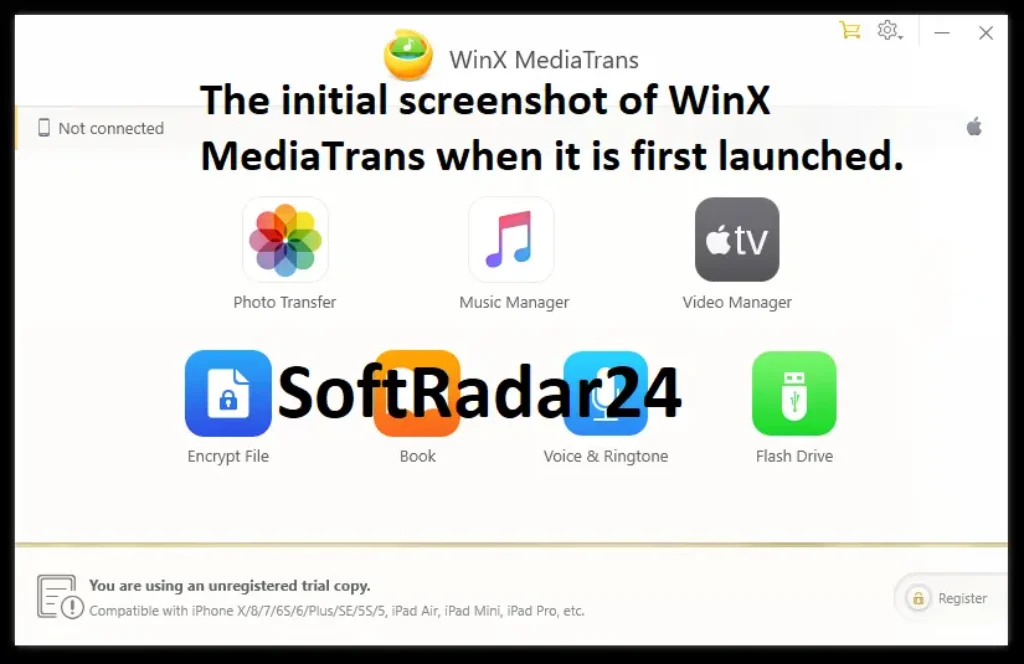
One common issue when using the native Windows File Explorer to access an iPhone’s DCIM folders is that large directory transfers can sometimes freeze or time out. WinX MediaTrans addresses this by mounting the device within its own interface rather than relying on standard Windows protocols. It organizes your media and includes a thumbnail preview function. This feature makes it easier to sort through your files and select exactly what you want to copy to your PC, rather than dragging and dropping entire folders blindly.
Built-in HEIC and HEVC Conversion
To optimize storage space, modern iOS devices default to capturing photos in the HEIC format and videos in HEVC (H.265). A common hurdle for Windows users is that these file types are not always supported natively out of the box, often requiring the separate installation of Microsoft store extensions to view them.
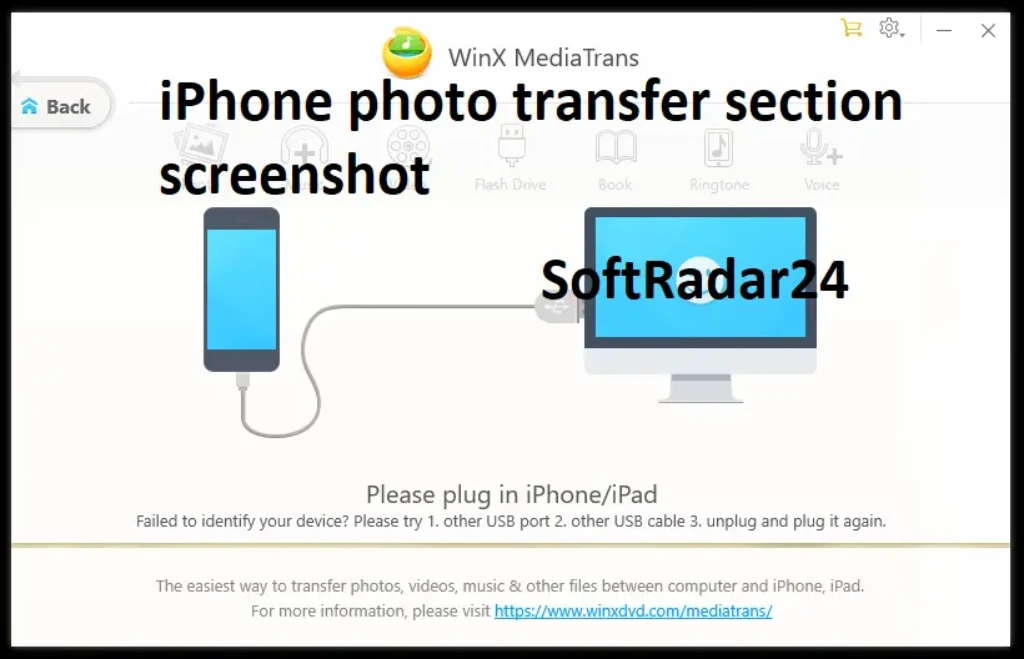
WinX MediaTrans includes an automated format conversion feature to handle this compatibility issue. When enabled, the software actively converts HEIC images into standard JPGs and HEVC videos into standard MP4s during the transfer process to the PC. Because this translation relies on the computer’s local hardware, it eliminates the need to upload personal media to web-based converters or install unverified third-party codec packs just to view iPhone files on a desktop monitor.
Why Upgrade to WinX MediaTrans Full Version?
Graduating to the premium tier transforms a simple transfer utility into an impenetrable data management powerhouse. Users, content creators, and individuals with massive media libraries quickly outgrow the daily file limits of the trial. Upgrading removes all restrictions, allowing for infinite, unmetered data pipelines between your mobile device and your desktop. When you return from a week-long trip with 4,000 raw photographs and dozens of massive 4K video files, the WinX MediaTrans processes the entire batch in one continuous, lightning-fast session. You secure access to future updates, guaranteeing that your software remains fully compatible with every upcoming iOS release and new iPhone hardware generation.
The WinX MediaTrans paid version leverages your computer’s dedicated graphics hardware to accelerate the heavy lifting of video encoding, dropping transfer times from hours down to mere minutes. Furthermore, the introduction of specialized media management tools allows you to completely bypass the restrictive Apple system. You can finally curate your music libraries, build custom audio alerts, and organize your digital library exactly the way you prefer, completely free from corporate oversight.
Unbreakable Hardware-Level Data Encryption
Data privacy represents the most compelling reason to secure a WinX MediaTrans full version license. When you transfer sensitive photographs, confidential business documents, or private videos to a desktop computer, those files typically sit completely exposed on your hard drive. Anyone with physical access to your laptop can view them. WinX MediaTrans solves this by implementing military-grade AES-256 and PBKDF2 encryption algorithms. As your files move from the iPhone to the PC, the software actively wraps them in an unbreakable cryptographic vault, locked behind a custom password only you know. Privacy is guaranteed. Even if your external hard drive is stolen or your laptop is compromised by malware, the encrypted media remains entirely inaccessible to unauthorized parties.
WinX MediaTrans utilizes Intel QSV, NVIDIA NVENC, and AMD VCE technologies to assist with media processing. Instead of relying solely on the computer’s central processor (CPU), the software offloads the encoding and conversion of high-resolution files—such as 4K and HEVC videos—directly to the dedicated graphics card. This hardware-level optimization helps maintain stable system performance, prevents background freezing, and significantly reduces the overall transfer time when batch-exporting large media libraries from an iOS device to a Windows PC.
Managing Music, Ringtones, and E-books
Transferring local music libraries to an iOS device typically requires syncing through iTunes or the newer Apple Devices app on Windows. WinX MediaTrans offers a direct drag-and-drop alternative for audio files. Users can move standard MP3 and FLAC files from a local PC directory straight into the native iOS Music app. The file transfer software also includes built-in ID3 tag editing, allowing you to modify artist metadata, track names, and album art before completing the transfer.
For personalized audio, the application includes a dedicated ringtone maker. This tool provides a visual waveform editor where you can isolate a 40-second segment of any supported audio track and export it directly to your iPhone’s custom ringtone settings. WinX MediaTrans supports basic document management, enabling the two-way transfer of DRM-free EPUB and PDF files between an iPad or iPhone and a desktop computer for local backup.
WinX MediaTrans Free vs. Full
Determining which version suits your workflow depends entirely on your data volume and privacy requirements. The free tier acts as an excellent emergency tool. If you rarely shoot video, only occasionally need to pull a few images off your phone, and have no interest in password-protecting your local backups, the daily limits of the free version will likely satisfy your needs. It provides a clean, safe, and entirely functional alternative to the sluggish performance of traditional Apple sync software.
However, if you actively use your iPhone as your primary 4K camera, possess a massive offline music library, or handle highly sensitive business media, the WinX MediaTrans upgrade is not just recommended; it is strictly mandatory. The time saved by the Level-3 hardware acceleration alone pays for the software within the first few massive transfers. The peace of mind provided by the AES-256 encryption ensures your digital life remains entirely under your control. For serious data management, relying on the premium tier is the only logical choice.
 PRO Version (Paid)
 PRO Version (Paid)
- Unlimited daily file transfers for all media types
- Access to AES-256 local file encryption
- Hardware acceleration for faster media processing
- Lifetime updates for future iOS compatibility
- Direct technical support from developers
Free Version Limits
 Free Version Limits
- Daily limit of 30 photo transfers
- Restricted video and music transfer quotas
- No access to local file encryption
- Standard processing (no hardware acceleration)
- No guaranteed updates for future iOS versions
WinX MediaTrans Discount Coupon Codes 2026
Securing premium software should not require emptying your wallet, and finding a legitimate WinX MediaTrans coupon code is often a frustrating experience filled with expired links and fake promo sites. We have partnered directly with the developer to bypass that mess entirely. You do not need to copy and paste random strings of text at the checkout screen. Our integrated discount mechanism applies the lowest possible price automatically the moment you click through our secured promotional links.
Currently, the standard retail price for a lifetime license of this powerful iOS file manager sits at $49.95. However, utilizing our active WinX MediaTrans discount codes 2026 links drops the price of the lifetime license (which covers 1 PC and includes infinite free upgrades) down to exactly $19.95. If you only need short-term access, the 1-Year subscription model drops from its retail price to an incredibly affordable $9.90. By opting for the lifetime tier, you secure a massive $30.00 direct saving, ensuring your iPhone data management needs are permanently solved for the absolute lowest possible investment.


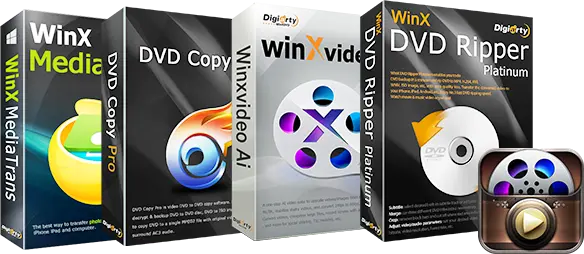
80% OFF – WinX Media Master 5-in-1 Bundle (Lifetime License / Windows)
Complete Multimedia Suite: Get lifetime access to five powerful tools for DVD digitizing, AI video enhancement, and iOS data management at an exclusive 80% discount.

MacX Media Master 4-in-1 Bundle – Lifetime
🔥 71% OFF Deal: Includes DVD Ripper, Video AI, MediaTrans, and 5KPlayer. One-time payment, lifetime access.
WinX MediaTrans (Buy 1 Get 3 Free)
Value Bundle: Secure a lifetime license for WinX MediaTrans along with three additional companion software tools for comprehensive media management.
WinX MediaTrans (1-Year / 3 PCs)
Short-Term Access: An affordable entry point providing full access to all file transfer and local conversion features for a single year.
WinX MediaTrans (Lifetime License / 1 PC)
Permanent License: A cost-effective, one-time purchase granting lifetime access and future updates for a single Windows desktop computer.
WinX MediaTrans (Family License / 3 PCs)
Multi-Device License: A management solution covering up to three separate Windows computers, making it ideal for households with multiple iOS devices.
System Requirements
Before initiating your WinX MediaTrans download, you must verify that your desktop computer and mobile device meet the necessary hardware and software specifications. The developers optimized this application to run flawlessly on both modern gaming rigs and incredibly old office laptops. It requires minimal RAM to function, relying entirely on smart coding rather than brute processing power to manage your files.
| Component | Minimum Specification |
|---|---|
| Operating System | Windows 11, 10, 8.1, 8, 7 (32-bit and 64-bit) |
| Processor (CPU) | 1 GHz Intel or AMD Processor (Multi-core recommended) |
| System Memory (RAM) | 256 MB RAM (1 GB or higher heavily recommended) |
| Hard Disk Space | 200 MB of free installation space required |
| Supported iOS Devices | iPhone (all models running iOS 7 through iOS 18+), iPad, iPod Touch |
WinX MediaTrans Frequently Asked Questions
Does WinX MediaTrans delete the files on my iPhone after transferring them?
No, the software strictly operates on a copy-and-paste mechanism by default. Your original photos, videos, and music files remain perfectly intact on your mobile device unless you explicitly select the manual deletion tool within the software interface to clear space.
Will the automatic discount code apply if I buy the family license?
Yes. The automatic discount mechanism applies proportionally across all available pricing tiers. Whether you select the 1-Year license for $29.95, the Lifetime license for $39.95, or the multi-PC Family license, the system automatically subtracts the promotional savings at checkout.
Can I transfer DRM-protected Apple Music tracks to my Windows PC?
Due to strict copyright laws and digital rights management (DRM) protections embedded by Apple, you cannot extract or convert songs rented through an active Apple Music subscription. The tool only transfers music you physically own or DRM-free MP3/FLAC files.
What happens if I forget the password for my AES-256 encrypted files?
Because the encryption is genuine military-grade AES-256, there is absolutely no backend backdoor or developer bypass available. If you lose your custom password, the encrypted media files become permanently unrecoverable. You must store your password in a secure password manager.
Do I need to have iTunes installed on my PC for this WinX MediaTrans to work?
While previous iterations of iOS required background Apple drivers, the latest version of this software operates completely independently. You do not need to install iTunes, sign into an Apple ID, or connect to the internet to perform fast local file transfers.