Quick Summary
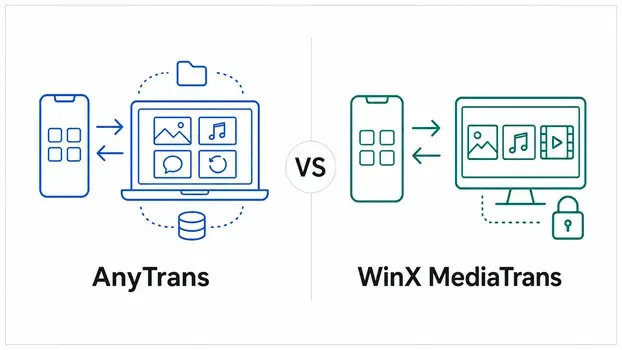
AnyTrans and WinX MediaTrans both handle the everyday iTunes-alternative jobs: moving selected photos, music and videos between an iPhone or iPad and a computer, managing playlists and ringtones, converting media for iOS playback, and exporting HEIC photos as JPG. Their scope changes sharply beyond that shared core. AnyTrans is a broader Windows and macOS iPhone manager with new-phone migration, full and incremental backups, selective restore, WhatsApp transfer, iCloud management, messages, contacts and app tools. WinX MediaTrans is a focused Windows media manager with detailed photo, music and video controls, local photo/video encryption, eBook tools, voice memos, podcasts and a free Flash Drive function.
- Shared core
- Photos · music · videos · playlists · ringtones · HEIC to JPG · media conversion
- AnyTrans scope
- Windows & macOS · migration · full backup/restore · WhatsApp · iCloud · personal data
- WinX scope
- Windows · focused media transfer · encryption · eBooks · voice/podcast tools · Flash Drive
- Decision rule
- Choose by the exact transfer job, operating system and data category—not a universal winner
How This Comparison Was Prepared
This is a documentation-based comparison, not a transfer-speed or output-quality benchmark. Product facts were checked against current first-party product pages, technical specifications, feature pages, user guides, trial-limit documentation, update pages and purchase terms. Global search language was used only to identify the questions people ask; it was not used as evidence that a feature exists.
The two starting points are the official AnyTrans product page and the official WinX MediaTrans product page. Supporting vendor guides were used to clarify what broad labels such as “backup,” “without iTunes,” “HEIC conversion” and “free trial” mean in practice.
AnyTrans vs WinX MediaTrans at a Glance
The table separates shared media-transfer functions from the jobs only one vendor currently documents. “Not documented” means the current official materials do not present that function for the named product; it avoids turning silence into an unsupported technical claim.
| Decision factor | AnyTrans | WinX MediaTrans |
|---|---|---|
| Main product role | Broad iPhone/iPad data manager | Focused iPhone/iPad media manager for Windows |
| Desktop platforms | Windows and macOS | Windows; Digiarty routes Mac users to the separate MacX MediaTrans product |
| Photo, music and video transfer | Two-way transfer with selection, organization and compatibility conversion | Two-way transfer with selection, playlists, metadata and media-specific controls |
| HEIC to JPG | Automatic conversion during supported export | Preview HEIC and export as JPG |
| Full iPhone backup | Full, incremental and scheduled wireless local backups | Not documented; vendor backup wording centers on media export |
| Selective backup restore | Browse AnyTrans/iTunes backups and recover supported selected items | Not documented |
| New iPhone migration | iPhone-to-iPhone, Android-to-iPhone and backup-to-iPhone routes | Direct phone-to-phone migration is not documented |
| WhatsApp, LINE and Viber | Transfer, backup, restore and export workflows documented | Not documented |
| Messages, contacts and apps | Dedicated management/export workflows, subject to Apple access rules | Messages/apps not documented; an official WinX review says contacts and notes are absent |
| iCloud management | iCloud Photos, iCloud Drive and supported multi-account content workflows | No iCloud-management module documented |
| Local photo/video encryption | Local-backup encryption is documented | Dedicated password encryption for exported or existing PC photos/videos |
| eBooks and Flash Drive | Books and file-management workflows | eBook transfer/conversion plus a free Flash Drive function |
Transfer iPhone Photos, Music and Videos Without iTunes
Both products can replace the all-or-nothing feeling of a traditional sync for common media. They let you choose supported files and move them in the needed direction. The differences appear in photo sources, music routes and the controls applied during video transfer.
Transfer iPhone Photos to a Windows PC or Mac
AnyTrans can preview and export selected photos or albums, organize iPhone media into categories such as Live Photos, Selfies, Slo-Mo and Time-lapse, create albums, import photos and remove selected items. Its Windows and Mac editions make it suitable when the same photo-management approach is needed on either desktop platform.
WinX MediaTrans can preview photos, group them by date, export selected or batch content to a Windows PC, import supported image formats, create albums and remove supported photos. It also loads documented photos from Camera Roll and supported third-party app locations. The official guide adds an important condition: a photo showing an iCloud icon must first be downloaded to the iPhone or iPad before WinX can export it.
Transfer Music from PC to iPhone Without Replacing Existing Songs
AnyTrans documents two-way music and playlist movement among iPhone, iPad, iPod, computer and iTunes. Selected music can be added from more than one computer without replacing the library already on the device, and music can be moved from an older iPhone to a new one.
WinX MediaTrans focuses on Windows-to-iPhone and iPhone-to-Windows music transfer. It can create, rename and remove playlists; edit fields such as title, artist, album, composer and year; make ringtones; and export voice memos. Files such as FLAC, OGG, WMA and WAV can be converted to MP3 or AAC when iOS compatibility requires it.
Transfer Large and 4K Videos Between iPhone and Computer
AnyTrans covers selected video movement and can convert unsupported media into an iOS-compatible format during transfer. This is a convenience function inside an iPhone-management workflow, not a claim that AnyTrans replaces a full desktop video editor or professional converter.
WinX MediaTrans documents batch import and export for 4K and 1080p video. When a Windows video is not playable on the target iPhone or iPad, the software can convert it to MP4/H.264 and can rotate it for full-screen playback. Exported videos can also use the product’s password-encryption option.
Does Either Product Require iTunes?
The AnyTrans Windows technical specification requires iTunes 9.0 or later and the iTunesMobileDevice driver for iPhone, iPad and iPod detection. AnyTrans may replace the iTunes interface for many management tasks, but it does not remove that Windows connection requirement.
Digiarty says WinX MediaTrans works without the iTunes application installed. Its own connection-troubleshooting material also discusses the Apple Mobile Device USB Driver when Windows cannot detect an iPhone. The safe interpretation is that WinX does not require the iTunes application workflow, while a working Windows iPhone-driver layer may still matter on some computers.
HEIC to JPG, Video Conversion and Media Tools
Format support matters when an iPhone file cannot open on Windows or when a desktop file will not play on iOS. These tools convert for compatibility during a transfer; they do not make every conversion lossless or turn either product into a full creative suite.
| Media job | AnyTrans | WinX MediaTrans |
|---|---|---|
| HEIC photos | Convert HEIC to JPG during supported computer export | Preview HEIC and choose JPG export |
| JXL photos | Vendor documents batch conversion to JPG, PNG or JPEG | Not documented |
| Live Photos | Export options include GIF and MP4/M4V | Guide says export creates a JPG plus its MOV video |
| Audio compatibility | Convert supported audio during transfer when needed | Convert examples such as FLAC/OGG/WMA/WAV to MP3/AAC |
| Video compatibility | Convert unsupported files for iOS playback during transfer | Convert unsupported video to MP4/H.264 and rotate when needed |
| Ringtones | Create custom ringtones from supported music | Create, edit, import and export ringtones |
| eBooks | Transfer supported PDF and EPUB books | Transfer EPUB/PDF/audio books; export EPUB as PDF, TXT or HTML |
| Arbitrary file storage | File-management and supported app-file workflows | Free Flash Drive mode for folders and general file storage |
WinX MediaTrans DRM Removal Has Technical and Legal Limits
Digiarty documents registered-version conversion for some protected iTunes music, movies and audiobooks. The vendor also says stronger protections may not be supported and advises checking the copyright rules that apply in the user’s country. This is not a universal removal guarantee, and purchasing media does not automatically create permission for every conversion or redistribution.
New iPhone Migration, WhatsApp Transfer and Local Backups
This is the clearest separation between the products. AnyTrans documents migration and restorable backup workflows. WinX MediaTrans documents local copies of supported media, but not a comparable full-device backup, selective restore or direct phone-to-phone migration system.
| Job | AnyTrans | WinX MediaTrans | Important condition |
|---|---|---|---|
| Old iPhone to new iPhone | Direct and selective migration documented | Not documented | Keep the source until destination data is confirmed. |
| Android to iPhone | Supported categories from Android 5.0+ documented | Not documented | Android USB debugging and appropriate drivers are required. |
| Target iPhone already set up | Vendor says supported migration does not overwrite existing target data | Not applicable to a documented phone-migration workflow | Create a current backup before a major move. |
| Full local backup | Full-device backup documented | Not documented | Computer storage must cover the backup data. |
| Incremental or scheduled backup | Incremental and scheduled wireless options documented | Not documented | Wireless backup depends on the configured connection and schedule. |
| Preview and restore selected files | Supported AnyTrans/iTunes backups can be browsed for selected recovery | Not documented | Only data present in a usable backup can be recovered. |
| Android/iPhone to iPhone transfer plus backup, restore and export | Not documented | Critical chats should have a separate current backup. | |
| LINE and Viber | Backup, restore and export workflows documented | Not documented | Availability depends on the current supported app/device combination. |
Messages, Contacts, Apps and iCloud Management
AnyTrans reaches beyond media into personal information, app workflows and cloud content. That wider scope can replace several separate jobs, but it also depends more heavily on Apple’s current device, App Store and account-access rules.
iPhone Messages
- AnyTrans can preview and export supported SMS, MMS and iMessage conversations with attachments.
- Current vendor formats include PDF, TXT and HTML, with print support for selected conversations.
- WinX MediaTrans does not document message export or transfer.
Contacts, Notes and Calendars
- AnyTrans documents contact editing/export, including CSV and VCF.
- Notes and calendar content have supported export/management routes.
- An official WinX MediaTrans review states that contacts and notes are not supported.
iPhone and iPad Apps
- AnyTrans documents app download, install, update, removal and local app-library workflows.
- Supported app files can move between an iOS device and computer.
- WinX MediaTrans documents general Flash Drive storage, not a comparable app-management system.
iCloud Photos and iCloud Drive
- AnyTrans can manage supported iCloud Photos and iCloud Drive content, including bulk upload/download actions.
- Supported content can move between multiple iCloud accounts.
- WinX MediaTrans does not document an iCloud-management module; iCloud-only photos must be downloaded to the device before WinX export.
Screen Mirroring
- AnyTrans documents wireless screen mirroring, recording and snapshot capture for supported iOS devices.
- WinX MediaTrans does not list screen mirroring among its current product modules.
Apple Access Can Change
- A supported iPhone does not guarantee that every historical data category remains accessible.
- iMobie’s own documentation records category restrictions caused by Apple protocol changes.
- Confirm the exact message, app or personal-data job on the current iOS build before buying for that single feature.
Windows, macOS, iPhone and iPad Compatibility
Compatibility has three layers: the desktop operating system, the connected device/iOS version, and the exact data category. A vendor can list the device as supported while an individual message, app or cloud workflow remains restricted.
| Platform or requirement | AnyTrans | WinX MediaTrans |
|---|---|---|
| Windows | Windows 11, 10, 8, 7 and Vista · 32/64-bit | Windows 11, 10, 8.1, 8, 7 and Vista · 32/64-bit documented |
| macOS | macOS 10.13 High Sierra or later documented | No WinX build for macOS; vendor points to separate MacX MediaTrans |
| iPhone/iPad/iPod | iOS 5 and later; current specification lists through iOS 27 and the iPhone 17 family | Current product/guide lists iOS 26 and the iPhone 17 family; iPad and iPod are also supported |
| Android | Android 5.0+ as a source for supported Android-to-iPhone migration | Android migration is not documented |
| Windows connection layer | iTunes 9.0+ and iTunesMobileDevice driver listed as requirements | iTunes application not required; a working iPhone USB-driver layer may still be needed |
| Network | Needed for activation, updates and online/iCloud workflows; wireless backup is optional | Local transfer does not require iCloud or Wi-Fi; activation and updates still use a network connection |
AnyTrans and WinX MediaTrans Free Trial Limits
The free builds answer different questions. AnyTrans gives a short, small-sample transfer window but locks several migration and restore workflows. WinX applies daily caps by media category and leaves its Flash Drive function free. Neither free build represents every paid function.
| Free-version factor | AnyTrans | WinX MediaTrans |
|---|---|---|
| General transfer allowance | 30 items within 3 days in each supported type | Daily category limits; generally 30 listed items |
| Video allowance | Covered by the 30-item/3-day type limit in current guides | 10 listed video imports or exports per day |
| Migration and restore | Phone-to-iPhone, App Restore, Backup Restore and Social Messages Restore/Transfer are among the locked functions | Full phone migration/restore is not part of the documented product scope |
| Media categories | Use a small sample from the exact photo, music, contact or file category | Vendor lists daily caps for photos, music, videos, books, ringtones, voice memos, iTunes U and podcasts |
| Flash Drive | Trial file-management allowance follows applicable AnyTrans limits | Vendor documents Flash Drive as free |
| DRM functions | No equivalent general promise used in this comparison | Registered version required; not every protection is supported |
License Terms and Current Discount Codes
Prices and promotions can change faster than product features, so the durable comparison is the license term, renewal behavior and number of computers. Confirm the selected edition, operating system, device/computer allowance, renewal, tax and final total at checkout.
| Purchase factor | AnyTrans | WinX MediaTrans |
|---|---|---|
| Subscription choices | Monthly and annual individual plans documented | Annual plan documented |
| Lifetime choice | One-time individual and Family lifetime plans documented | Lifetime plan documented |
| Individual computer coverage | Current individual plans: unlimited iOS devices on 1 licensed computer | Current standard page: annual plan for 3 PCs; lifetime plan for 1 PC |
| Multi-computer option | Family Plan: up to 5 computers | Annual and volume options vary; confirm the selected offer |
| Automatic renewal | Monthly and annual subscriptions renew unless canceled | Annual subscription renews unless canceled |
| Refund wording | Current page lists 60 days for 1-year, one-time and family plans; 7 days for the one-month plan, subject to terms | 30-day policy with vendor-stated qualifying conditions |
AnyTrans Offer
Check the current AnyTrans discount code and license options for the latest SoftRadar24 purchase route. Choose the operating system and computer count before comparing the headline discount.
WinX MediaTrans Offer
Check the current WinX MediaTrans discount code and license options for the latest SoftRadar24 purchase route. Confirm whether the selected campaign is annual, lifetime, single-PC or multi-PC.
Privacy, Encryption and Important Limitations
Both products handle personal media and device data. The practical questions are where files are stored, which credentials are needed, whether a forgotten password can be recovered, and which vendor statements have not been independently audited.
AnyTrans Local Backups and iCloud Access Are Different Workflows
iMobie says AnyTrans backups can be created through USB or SSL-secured Wi-Fi and stored on the local hard drive, with iTunes backup encryption supported. Its iCloud module necessarily uses an online account connection; iMobie says it does not retain the account credentials or iCloud content. These are vendor-documented design statements, not an independent security audit.
WinX MediaTrans Encryption Protects Photos and Videos, Not Every iPhone Data Type
Digiarty lists 256-bit AES, 1024-bit RSA, PBKDF2 and Argon2 for password-protecting photos and videos exported from iOS or already stored on the PC. The feature is a local media vault, not full-device encryption or a complete iPhone backup. Digiarty says it does not collect the password and cannot recover encrypted files if that password is lost.
Keep the WinX Encryption Password Outside the Encrypted Folder
A password that cannot be recovered can permanently block access to irreplaceable files. Store it in a trusted password manager or another secure location, and keep an independent copy of critical photos and videos before encrypting the only available version.
Apple Can Restrict Individual Data Categories
Messages, contacts, apps, call history, browser history and other personal information do not all use the same Apple access path. An iPhone model can be compatible while one category is unavailable after an iOS or App Store change. AnyTrans users should confirm the exact category; WinX users should not infer personal-data support from its broad “iPhone manager” label.
iCloud-Only Photos Must Exist on the Device for WinX Export
WinX MediaTrans is a local media-transfer tool rather than an iCloud browser. Its official guide says a photo carrying an iCloud icon must first be downloaded to the iPhone or iPad. Large optimized libraries may therefore need device storage and download time before local export.
Media Conversion Can Change the File
HEIC-to-JPG, unsupported-video-to-MP4 and audio-to-MP3/AAC conversion create a new format. That may improve compatibility, but it is not always a bit-for-bit copy. Preserve original files when metadata, editing latitude or archival fidelity matters.
Vendor Speed and Quality Headlines Are Not a Neutral Comparison
Digiarty publishes photo-transfer and video-compression headlines, while iMobie publishes its own transfer figures. File count, resolution, codec, cable, storage, computer hardware and settings differ. Those numbers cannot identify a universal speed or quality winner without one controlled method.
Neither Product Is Data Recovery from an Erased Source
Transfer and restore require a working source or a usable backup that already contains the data. If the source was wiped and no backup exists, an iPhone manager cannot recreate the missing files. Keep the old device and at least one separate backup until the move is complete.
Which Product Matches Which Workflow?
There is no single winner because the products solve different-sized jobs. The closest documented fit depends on whether the priority is a focused Windows media tool or a wider iPhone-management system.
| Primary workflow | Closer documented fit | Why | Confirm before purchase |
|---|---|---|---|
| Move photos, music and video between iPhone and a Windows PC | WinX MediaTrans | Focused media modules, playlists/metadata, 4K video controls and local encryption | Exact format, album behavior, daily free limits and driver detection |
| Use the same iPhone manager on Windows or Mac | AnyTrans | AnyTrans itself has Windows and macOS editions; the Mac alternative in Digiarty’s family is a separate MacX product | Correct OS license and current desktop/iOS version |
| Move from an old iPhone or Android phone to a new iPhone | AnyTrans | Phone Switcher documents iPhone-to-iPhone and Android-to-iPhone migration | Supported categories, source condition, drivers and a separate backup |
| Create full/incremental local backups and restore selected data | AnyTrans | Documented backup history, scheduled wireless backup and selected recovery | Available disk space, paid-feature access and exact data category |
| Transfer or preserve WhatsApp, LINE or Viber data | AnyTrans | Dedicated social-message transfer, backup, restore and export workflows | Current app versions, device combination and destination verification |
| Manage messages, contacts, apps or iCloud content | AnyTrans | Dedicated personal-data, app and iCloud modules | Apple’s current access rules for the exact category |
| Encrypt selected PC photos/videos and use iPhone as file storage | WinX MediaTrans | Dedicated media encryption and free Flash Drive function | Password storage, independent backup and supported local file workflow |
| Manage eBooks, voice memos, podcasts and iTunes U on Windows | WinX MediaTrans | Clear dedicated modules and EPUB export options | Exact book/audio format and transfer direction |