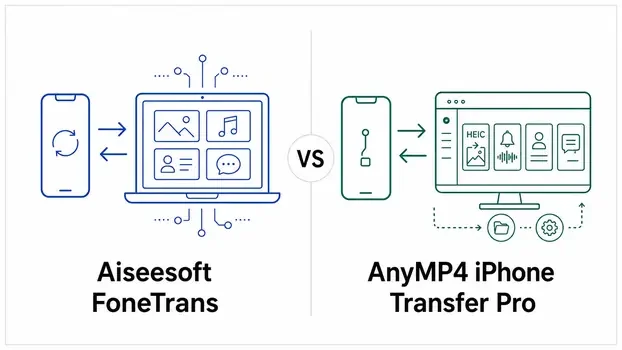
Quick Summary
Aiseesoft FoneTrans and AnyMP4 iPhone Transfer Pro are exceptionally close iPhone transfer tools. Both have Windows and Mac editions; move selected photos, music, videos, contacts and other supported data among an iPhone or iPad, a computer, another iOS device and iTunes; export messages and supported chat histories; organize media and contacts; convert HEIC photos; create ringtones; and provide one-click category-transfer tools. Official documentation does not establish a universal feature, speed or quality winner.
- Shared purpose
- Selective iPhone and iPad transfer, desktop organization and iTunes-library management
- Main feature difference
- Aiseesoft lists WeChat and QQ computer export; AnyMP4 explicitly lists ringtone fade-in and fade-out
- Main license difference
- Aiseesoft documents 3- and 30-computer tiers; AnyMP4 documents a 5-computer lifetime tier
- Decision rule
- Confirm the exact data direction, current device support and computer count—not a brand-wide winner
How This Comparison Was Prepared
This is a documentation-based comparison, not a transfer-speed, stability or output-quality benchmark. Product facts were checked against current first-party product pages, Windows and Mac technical references, user guides, purchase pages and refund terms. Live search language was used only to identify the questions people ask; it was not used as proof that a feature exists.
The two approved first-party starting points are the official Aiseesoft FoneTrans product page and the official AnyMP4 iPhone Transfer Pro product page. Supporting pages from the same vendors were used to interpret broad terms such as “backup,” “without iTunes,” “phone to phone,” “free trial” and “30-day guarantee.”
Aiseesoft FoneTrans vs AnyMP4 iPhone Transfer Pro at a Glance
The products share almost every headline function. This table separates genuine documented differences from labels that merely describe the same underlying job in different words.
| Decision factor | Aiseesoft FoneTrans | AnyMP4 iPhone Transfer Pro |
|---|---|---|
| Main role | Selective iOS transfer and desktop data manager | Selective iOS transfer and desktop data manager |
| Desktop editions | Windows and Mac editions | Windows and Mac editions |
| Transfer routes | iOS to computer, iTunes or another iOS device; computer to iOS | iOS to computer, iTunes or another iOS device; computer to iOS |
| Photos, music and video | Selective transfer, organization, deletion and compatibility conversion | Selective transfer, organization, deletion and compatibility conversion |
| Contacts | Create, edit, group, merge duplicates, import/export and back up/restore | Create, edit, group, merge duplicates, import/export and back up/restore |
| Messages and chat archives | Computer export includes Messages, WhatsApp, Kik, LINE, Viber, Messenger, WeChat and QQ in the Windows reference | Computer export includes Messages, WhatsApp, Kik, LINE, Viber and Messenger |
| One-click tools | Phone to Phone, Device to PC and Contacts Backup/Restore | Phone to Phone, Device to PC and Contacts Backup/Restore |
| HEIC conversion | JPEG/JPG or PNG with output-quality control | JPEG/JPG or PNG with output-quality control |
| Ringtone controls | Choose start/end points and adjust volume | Choose start/end points and apply fade-in/fade-out |
| Explicit Windows iTunes requirement | iTunes 10.7 or later is listed | No matching iTunes-version requirement appears on the current Windows reference page |
| Multi-computer option | 3-computer lifetime and 30-computer business tiers documented | 5-computer lifetime and custom business options documented |
| Free-trial detail | Trial available; exact current quota not clearly published on the core pages checked | Guide says limits exist, while the general refund page says no functional limitation |
Transfer iPhone Photos, Music and Videos Without iTunes
Both products let users choose supported files rather than synchronize an entire library. That makes either relevant to common searches such as transferring iPhone photos to a PC, adding music from a computer or moving large videos off a phone.
Transfer iPhone Photos to a Windows PC or Mac
Aiseesoft FoneTrans and AnyMP4 iPhone Transfer Pro both display device photos by category or album, let users select individual images or groups, export them to the computer, add supported pictures to the device, create or manage albums and remove supported items. Both cover Camera Roll and photo-library content in their published workflows.
The practical choice is therefore unlikely to come from the word “photos.” It comes from the exact direction and album behavior needed. Apple restricts some system-managed photo locations, so anyone who depends on a particular shared, synced or cloud-only album should confirm that exact album in the current build before paying.
Transfer Music from PC to iPhone Without Replacing the Library
Both vendors document adding selected music from a computer, exporting music from an iOS device, moving songs between two iOS devices, working with playlists, editing music information and finding duplicate tracks. They also document sending supported media to iTunes without opening the iTunes interface.
Both can convert incompatible audio into an iOS-supported format during transfer. That is useful for playback compatibility, but it creates a converted file rather than guaranteeing a bit-for-bit copy of the source. Keep the original when archival quality or editing flexibility matters.
Transfer iPhone Videos to a Computer or Another iPhone
The two products support importing, exporting, deleting and organizing common video categories. Their official guides also describe automatic conversion when a computer video is not compatible with the destination iPhone or iPad. AnyMP4 separately labels Home Videos in its Windows reference, while Aiseesoft uses broader movie and video categories; that labeling difference alone is not a meaningful capability gap.
Neither vendor provides a neutral comparison performed with the same devices, cable, storage, source files and settings. Transfer-time or quality headlines from separate marketing pages cannot identify a universal speed or output-quality winner.
Does “Without iTunes” Mean iTunes Is Not Installed?
No single interpretation is safe. Both products can complete supported transfer and iTunes-library actions without launching the iTunes interface. Aiseesoft’s current Windows specification nevertheless requires iTunes 10.7 or later. AnyMP4’s current Windows reference does not state an equivalent version requirement, but that silence does not prove that every Windows setup works without Apple device components or drivers.
Export iPhone Messages, Contacts and Other Personal Data
Both products reach beyond media. They can manage contacts and export supported messages, chats, books, notes, calendars, Safari information and call records. The important distinction is whether the job is computer archiving, direct device transfer or restoration into an app.
| Data job | Aiseesoft FoneTrans | AnyMP4 iPhone Transfer Pro | Boundary to understand |
|---|---|---|---|
| Edit and organize contacts | Create, edit, group, delete and merge duplicates | Create, edit, group, delete and merge duplicates | Review changes before deleting or merging records |
| Import/export contacts | Computer import/export and device-to-device transfer documented | CSV, vCard, Outlook and Windows Address Book import routes documented | Confirm the needed destination format |
| Contact backup/restore | Dedicated one-click toolbox functions | Dedicated one-click toolbox functions | This restores contacts, not an entire iPhone |
| Messages | View and export supported Messages to a computer | View and export supported Messages to a computer | Computer export is not deleted-message recovery |
| Chat-app history | WhatsApp, Kik, LINE, Viber, Messenger, WeChat and QQ listed for computer export | WhatsApp, Kik, LINE, Viber and Messenger listed for computer export | Archive/export is not dedicated chat migration into a new phone |
| Books and personal records | ePub, PDF, notes, calendars, Safari and call data documented | ePub, PDF, notes, calendars, Safari and call data documented | Availability and direction can differ by category |
Aiseesoft Lists WeChat and QQ Export
Aiseesoft’s current Windows technical reference names WeChat and QQ in addition to the chat sources listed by AnyMP4. This is a legitimate documented difference for someone who needs a computer archive from one of those apps. It does not establish that FoneTrans can place that history into the corresponding app on a new iPhone.
Message Export and Message Migration Are Different
Both vendors show messages among one-click categories, but their technical direction tables do not consistently confirm every message type for iOS-to-iOS transfer. A buyer whose only goal is moving SMS, iMessage or a chat-app history into a new phone should verify that exact source-to-destination route. A readable computer archive may solve recordkeeping without solving in-app migration.
iPhone-to-iPhone Transfer, One-Click Export and Backup
Both toolboxes reduce repeated selection work, but the words “phone transfer” and “backup” need precise limits. A supported category move is not the same as cloning every part of an iPhone.
| Toolbox job | Aiseesoft FoneTrans | AnyMP4 iPhone Transfer Pro | What it does not prove |
|---|---|---|---|
| Phone to Phone | One-click selection for documented categories | One-click selection for documented categories | Not a complete clone of settings, accounts and every app |
| Device to PC | One-click export for photos, music, videos, contacts, SMS and books shown in the guide | One-click export for photos, music, videos, contacts, messages and books shown in the guide | Not a full image that Finder or iTunes can restore as an entire device |
| Contacts Backup | Create a dedicated contact backup | Create a dedicated contact backup | Does not include every other data category |
| Contacts Restore | Restore from the product’s saved contact backup | Restore from the product’s saved contact backup | Does not recover contacts that were never present in a usable source or backup |
For an old-iPhone-to-new-iPhone move, keep the source device unchanged until the destination is checked. A separate current Apple/Finder/iTunes or other appropriate backup remains sensible before any large migration, especially when the important data includes app settings, health information, authentication data or a chat history that is not clearly covered by the transfer table.
HEIC Converter, Ringtone Maker and iTunes Tools
The shared toolbox is one reason these products are difficult to separate. Both solve common format and library-management problems without requiring a separate utility for each task.
| Tool | Aiseesoft FoneTrans | AnyMP4 iPhone Transfer Pro |
|---|---|---|
| HEIC to common image format | Convert to JPEG/JPG or PNG and adjust quality | Convert to JPEG/JPG or PNG and adjust quality |
| HEIC export preference | Original-format and conversion workflows documented across product tools | Mac preferences explicitly allow original format or JPG/JPEG conversion during export |
| Ringtone source | File from the iOS device or computer | Music or video from the iOS device or computer |
| Ringtone editing | Start point, end point and volume | Start point, end point, fade-in and fade-out |
| iTunes library | View and sync supported media between device and iTunes | View and sync supported media between device and iTunes |
| Automatic media conversion | Convert incompatible audio/video while adding it to iOS | Convert incompatible audio/video while adding it to iOS |
AnyMP4’s explicitly documented fade controls are a small but concrete difference for ringtone creation. For HEIC conversion and ordinary iTunes-library work, the published scope is otherwise close enough that the exact installed workflow and license terms matter more than the feature name.
Windows, Mac, iOS and iPhone Compatibility
Current Windows support is closely aligned. The Mac reference pages require more care because each vendor has version or hardware labels that are not fully synchronized with its own device list.
| Compatibility point | Aiseesoft FoneTrans | AnyMP4 iPhone Transfer Pro |
|---|---|---|
| Windows | Windows 11, 10, 8.1, 8 and 7 | Windows 11, 10, 8.1, 8 and 7 |
| Windows hardware minimum | 1GHz Intel/AMD CPU; 1GB RAM | 1GHz Intel/AMD CPU; 1GB RAM |
| Windows iOS wording | iOS 6+ including iOS 27 beta/26; iPhone 17 family listed | iOS 6+ including iOS 27 beta/26; iPhone 17 family listed |
| Windows iPadOS wording | iPadOS 13 through 26 listed | iPadOS 13+ including iPadOS 27 beta/26 |
| Mac OS | Mac OS X 10.7+; page still labels Sequoia as the included current release | Mac OS X 10.7+ including macOS 26 |
| Apple silicon wording | Apple M-series through M5 listed | Apple M-series through M3 listed |
| Mac iOS/device wording | iOS/iPadOS lines stop at 18 while the device list includes iPhone 17 | iOS/iPadOS 26 listed, while the Mac device list is less current than the Windows list |
| Windows iTunes line | iTunes 10.7+ explicitly required | No corresponding version line on the current reference page |
These inconsistencies show why one “latest supported” badge is not enough. They do not prove that an omitted Mac, chip or iPhone fails. If the computer or iPhone was released recently, confirm the exact desktop OS, processor, iOS/iPadOS version and device model with the current build or vendor support before purchase.
Free Trial, USB Connection and Activation Requirements
The free download is most useful for confirming whether the current build recognizes the specific iPhone and displays the required category. Exact transfer allowances are not documented consistently enough for a durable side-by-side quota claim.
Aiseesoft FoneTrans Free Trial
Aiseesoft provides a free trial, but the current core product, guide and technical pages checked for this comparison do not state a reliable exact item or time allowance. Avoid assuming that previewing a category means the trial will complete an unlimited transfer.
AnyMP4 iPhone Transfer Pro Free Trial
AnyMP4’s Windows and Mac guides say the trial has limitations involving numbers or times. Its general refund policy separately says free trials have no functional limitation. Because those first-party statements conflict, an exact current quota cannot be stated responsibly. The installed build and its in-app prompt are the relevant current source.
USB, Trust and Passcode Prompts
Both documented workflows connect the iPhone, iPad or iPod by USB. The device must be unlocked and the Trust request approved. Both guides say iOS 13 or later may require the device passcode more than once while protected data is accessed. If an encrypted iTunes backup exists on the computer, the backup password may also be required.
Activation and Internet Access
A paid license uses an email address and activation or registration code. AnyMP4 explicitly requires a stable internet connection during activation. Local USB transfer does not mean every stage is offline: license activation, updates and platform components can still require a network connection.
License Options and Current Discount Codes
The clearest buying difference is not the shared transfer feature list; it is how many computers the license must cover. Public prices and promotions can change, so compare the current term, operating system, renewal status and computer count together.
| License need | Aiseesoft FoneTrans | AnyMP4 iPhone Transfer Pro |
|---|---|---|
| Short-term personal use | One-month, one-computer option documented | One-month, one-computer option documented; auto-renewal explicitly stated |
| One-computer permanent use | One-computer lifetime option documented | One-computer lifetime option documented |
| Small multi-computer use | Three-computer lifetime option documented | Five-computer lifetime option documented |
| Larger organization | 30 computers and unlimited devices documented for the current business tier | Custom Team & Business inquiry with volume options |
| Platform selection | Windows and Mac purchase routes are separate | Windows and Mac purchase routes are separate |
Aiseesoft Current Offer
Check the current Aiseesoft FoneTrans discount code and license options. Match the operating system and computer count before checkout.
AnyMP4 Current Offer
Check the current AnyMP4 iPhone Transfer Pro discount code and license options. Confirm whether the selected plan is one-month, lifetime or multi-computer.
Refund Terms and Checkout Details
Both brands use 30-day money-back language, and both policies explicitly say the guarantee is conditional. It should not be read as a no-questions-asked return window.
| Purchase condition | Aiseesoft FoneTrans | AnyMP4 iPhone Transfer Pro |
|---|---|---|
| Published window | 30 days, subject to accepted circumstances | 30 days, subject to accepted circumstances |
| Simple change of mind | Listed as non-refundable | Listed as non-refundable |
| Wrong OS edition | Refund excluded; exchange may be offered where applicable | Refund excluded; exchange may be offered where applicable |
| Confirmed unresolved technical problem | Potentially eligible under the stated process | Potentially eligible under the stated process |
| Possible deduction | Policy mentions a 20% deduction when a refund is insisted upon | Policy mentions a 20% deduction when a refund is insisted upon |
| Recurring checkout detail | Current purchase page can present an optional 7-day Screen Recorder add-on that renews monthly | One-month iPhone Transfer license is explicitly auto-renewing |
Before payment, verify the product name, Windows or Mac edition, number of computers, renewal status, optional add-ons and the exact task the software must complete. Both policies can reject a refund when a buyer assumed an undocumented function or selected the wrong platform.
Important Limitations Before Buying
The two products have similar boundaries. Knowing what the vendor documentation does not establish prevents an iPhone manager from being mistaken for recovery, full backup, cloud management or dedicated chat-migration software.
Neither Product Recovers Deleted iPhone Data
Transfer requires data that remains available on the source device or in a usable supported backup. If a photo, message or contact has already been erased and no usable copy exists, an iPhone transfer manager cannot recreate it.
One-Click Export Is Not a Full Restorable iPhone Backup
Both one-click Device to PC tools export listed categories, and both have dedicated contact backup/restore. Neither is documented here as producing a complete device image containing every setting, account, application and protected data store. Keep an appropriate full backup when complete-device restoration matters.
Chat Archive Export Is Not WhatsApp Phone Migration
Both can display and save histories from supported chat apps to a computer. That is useful for reading or recordkeeping. It does not automatically place the archive into WhatsApp, LINE, Viber or another app on a new phone.
Android-to-iPhone and General iCloud Management Are Not Documented
The compared products focus on iOS devices and local desktop transfer. Their current comparison materials do not document Android-source migration or a general iCloud account-management console. A user whose source is Android or whose needed file exists only in a cloud service should choose a tool designed for that workflow.
Protected Purchased Media May Remain Unavailable
Both vendors’ refund policies warn that protected files purchased from iTunes or another service may not be convertible. The ability to move an ordinary media file should not be read as a promise to process DRM-protected content.
Current OS Support Does Not Guarantee Every Data Category
Apple can change access to messages, photos, contacts, app data and other categories independently. A supported iPhone model and iOS number do not guarantee every route or format. Confirm the one category that matters, especially after a new iOS or macOS release.
No Neutral Speed, Quality or Reliability Winner Is Established
Vendor claims come from different conditions. Without one controlled method using the same computer, cable, devices, files and settings, a universal speed, output-quality, stability or ease-of-use conclusion would be unsupported.
Which Product Matches Which Workflow?
For one-computer photo, music, video and contact management, the official scope is close to parity. The strongest decision comes from the smallest documented detail that your workflow cannot compromise.
| Primary workflow | Closer documented fit | Reason | Confirm before purchase |
|---|---|---|---|
| Transfer photos, music, videos and contacts on one Windows PC or Mac | Either product | Core transfer and organization features are closely aligned | Exact device detection, data direction and platform license |
| Export a supported WeChat or QQ history to a computer | Aiseesoft FoneTrans | Its Windows reference explicitly lists WeChat and QQ | Current app/iOS visibility, output format and archive-only boundary |
| Create ringtones with fade-in and fade-out | AnyMP4 iPhone Transfer Pro | Those controls are explicitly documented | Source file, output workflow and target device |
| Cover exactly three computers with a lifetime option | Aiseesoft FoneTrans | A three-computer lifetime tier is currently documented | Correct OS edition and live checkout terms |
| Cover five computers with one lifetime tier | AnyMP4 iPhone Transfer Pro | A five-computer lifetime tier is currently documented | Correct OS edition and whether five PCs or Macs are covered as selected |
| Deploy on 30 computers with unlimited connected devices | Aiseesoft FoneTrans | A current 30-computer business tier is documented | Commercial-use terms, platform and support requirements |
| Need a custom organizational license | AnyMP4 iPhone Transfer Pro | A custom Team & Business inquiry is documented | Written computer/device counts and commercial terms |
| Need a full restorable iPhone image, deleted-data recovery, Android migration or dedicated WhatsApp migration | Neither product on the evidence reviewed | Those jobs exceed the clearly documented transfer-manager scope | Select a product category designed for the exact missing workflow |
| Use a newly released Mac, iPhone or OS version | Either, after current confirmation | Both Mac reference pages contain unsynchronized labels | Exact hardware, OS, iOS and build compatibility |