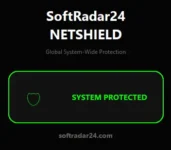
Softradar24 NetShield – One Click. Zero Ads. Zero Tracking. We didn’t build a revolutionary new technology. We built a solution.
We’re not a big software company. We simply created a small tool for our own home and office use — and decided to share it for free with anyone who might find it helpful.
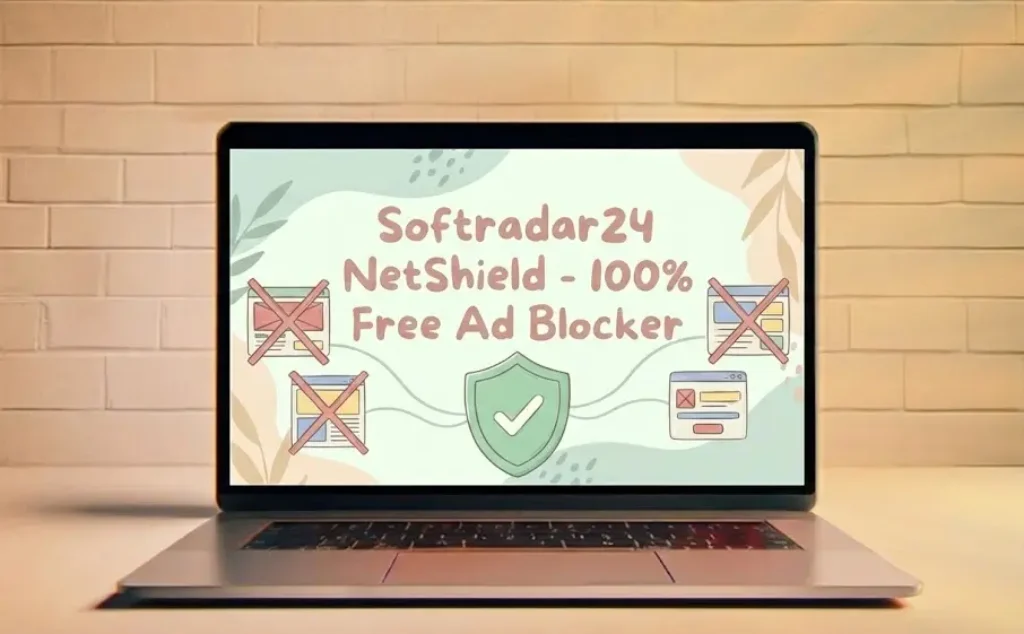
Softradar24 NetShield is a portable, system-level free ad blocker designed for everyday users who want a cleaner internet experience without installing heavy extensions, creating accounts, or paying for premium plans. Free Ad Blocker for Windows (Portable & Lightweight) – NetShield.
Key Features
✅ Portable – No installation required
✅ No subscriptions
✅ Zero CPU usage after activation
✅ No data collection
✅ No telemetry
✅ No ads inside the app
✅ Host-level protection
✅ 70,000+ known ad domains blocked
✅ Beginner-friendly
✅ Just a simple button: Activate Shield
What Is NetShield?
NetShield is a lightweight, portable free ad blocking tool that works at the system level.
Unlike browser extensions that run continuously and eat up your RAM, NetShield applies protection directly through your operating system’s native networking capabilities.
Once activated:
It blocks over 70,000+ known advertising and tracking domains.
It works silently in the background.
It uses 0% CPU and 0 MB RAM after activation.
It does not run as a continuous process.
When you click Deactivate Protection, your system returns to its original state instantly. That’s it.
Who Is It For?
NetShield may be a good fit if you:
Want a free ad blocker without browser extensions
Prefer a lightweight alternative to heavy security suites
Don’t want subscriptions or accounts
Use a home or small office computer
Value privacy and simplicity
It may not be suitable if you:
Expect guaranteed 100% ad removal everywhere
Need enterprise-level filtering
Require advanced custom filtering rules
Why Not Just Use a Browser Extension?
Browser extensions are convenient, but they only work inside the browser and often slow down your computer.
Browser Extensions: Consume memory (RAM) and CPU for every tab you open.
NetShield: Modifies the system host file once and closes itself. It provides system-wide protection without using any system resources.
For users searching for a “free ad blocker for Windows” or a “lightweight ad blocker alternative,” NetShield offers a simple, no-cost option worth trying.
What It Blocks (And What It Doesn’t)
NetShield is effective against:
Most banner ads & popups.
Tracking domains (Facebook, Google Analytics, etc.).
Malware & Phishing domains.
Common advertising networks.
Transparency Note: It reduces YouTube ads significantly, but due to constant platform updates, it may not block pre-roll video ads 100% of the time.
It is not designed for adult websites. It does not break the internet; legitimate sites will continue to work.
🎨 Expand Your Portable Toolkit
Just as NetShield cleans up your browsing experience, optimize your digital storage with our latest utility. For photographers and web developers seeking a powerful offline solution, download SoftRadar24 PixelCore Image Converter & Compression Free. It offers the same lightweight, portable philosophy—zero installation, maximum efficiency.
How to Use Softradar24 NetShield Ad Blocker
Powered by SoftRadar24. No setup wizard. No complicated settings. SoftRadar24 NetShield: A minimalist, zero-config, hosts-based 100% free ad blocker for Windows.
Simplicity is the ultimate sophistication!
Download NetShield – Free Portable Ad Blocker for Windows
Run as Administrator
Click Activate Shield
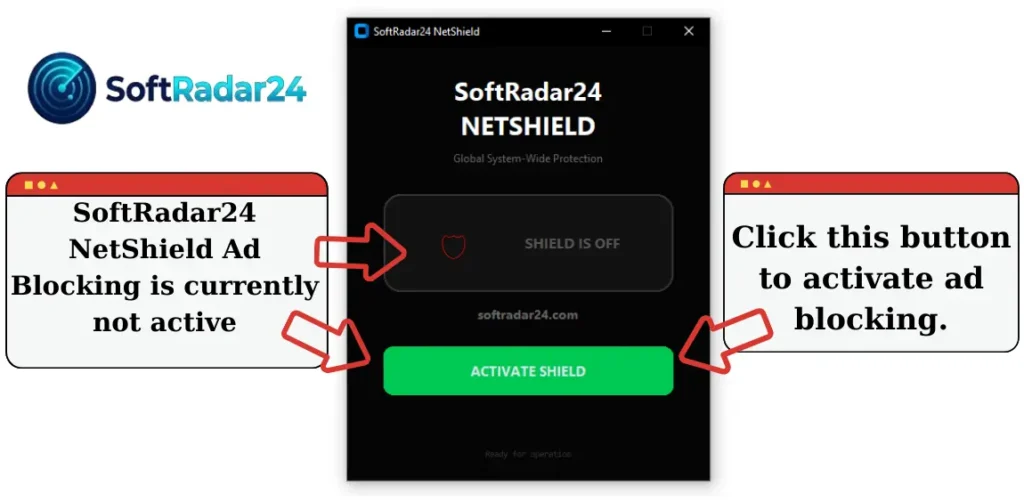
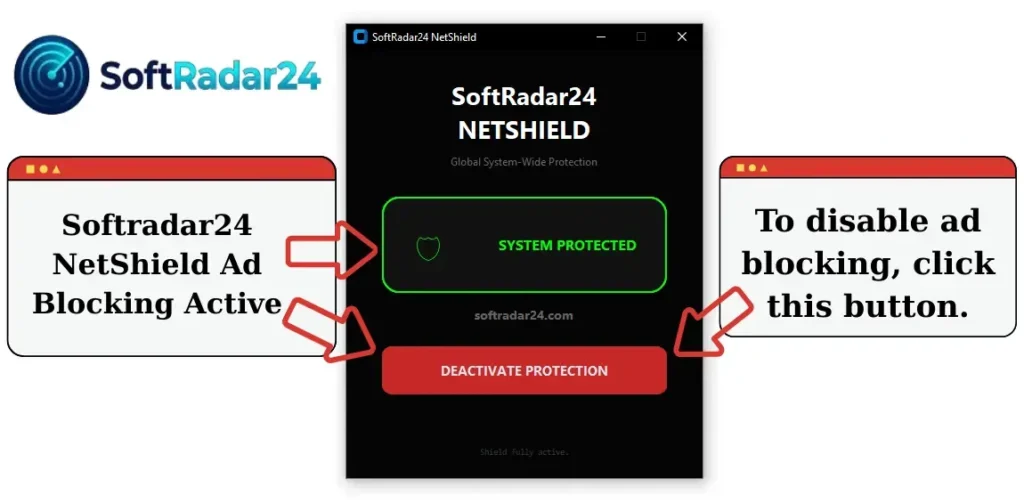
Browse normally
Click Deactivate Protection anytime to restore
🛡️ Security Verification (File Integrity)
We take security seriously. To ensure you have the original, unmodified version of SoftRadar24 NetShield, please verify the file checksum after downloading.
Security Notice: Because NetShield modifies the system hosts file to block advertising domains, some antivirus programs may flag it as an uncommon or suspicious file. These alerts are heuristic-based and related to system-level modification behavior. The tool does not collect data, connect to external servers, or run background processes.
| Property | Value |
| File Name | SoftRadar24_NetShield.exe |
| Version | v2.0 (Stable / Portable) |
| File Size | ~24 MB |
| Release Date | Feb 12, 2026 |
| SHA-256 Checksum | 055769F0F5F61C71BBF3FF7A8818C3395580078A86A8BE6D90410FCDF9339113 |
| VirusTotal Scan | View VirusTotal Scan Results |
⚠️ Warning: If the SHA-256 hash of your downloaded file does not match the code above, DO NOT RUN IT. It may have been tampered with by a third party. Always download from the official softradar24.com website.
⚖️ Legal Disclaimer
Disclaimer: Softradar24 NetShield is provided as a free, “as-is” utility tool without warranties of any kind. The software modifies the system hosts file to block known advertising and tracking domains. By using this tool, you acknowledge that system-level changes are made at your own discretion. Softradar24 shall not be liable for compatibility issues, website functionality limitations, or any direct or indirect damages arising from its use. Users can revert changes at any time using the “Deactivate” button.
Frequently Asked Questions (FAQ)
- Is NetShield safer than browser extensions?
Yes, absolutely. Browser extensions run continuously in the background, consuming RAM and CPU for every single tab you open. This slows down your browsing. NetShield works differently. It modifies the Windows Hosts file once, and then closes itself. It uses 0% CPU and 0 MB RAM while you browse because Windows does the blocking natively.
- Does it block YouTube video ads?
It blocks most of them, but not all. NetShield is excellent at blocking banner ads, tracking pixels, and side-bar ads on YouTube. However, since YouTube serves video ads from the same domains as the actual video content, DNS-based blocking (like hosts files) cannot always separate the ad from the video. For 100% video ad blocking, we recommend using NetShield alongside a browser extension.
- Does it work on other apps like Spotify or Skype?
Yes! This is the superpower of NetShield. Unlike browser extensions that only work in Chrome or Edge, NetShield provides System-Wide Protection. This means it can block ads inside desktop applications like Spotify (free version), Skype, and even some in-game ads, provided they use known ad servers.
- Is it safe to modify the “Hosts File”? Will it break my internet?
It is completely safe. The “Hosts File” is a standard Windows feature designed exactly for this purpose: to map or block domains. NetShield simply automates this process so you don’t have to type thousands of lines manually. If you ever face an issue accessing a specific site, you can just click “Deactivate” and your system returns to its original state instantly.
- Why does my antivirus say “Hosts File Modifier”?
Don’t panic, this is normal. Because NetShield edits a system file (the hosts file) to block ads, some sensitive antivirus programs might flag this behavior as a warning. This is a “False Positive.” NetShield is open about what it does: it blocks ad servers. It does not touch your personal files, passwords, or data.